


Everyone holds a piece of the buyer. OneAxis puts it on one axis.
Every look a buyer takes, scattered across files and chats.

For property projects you
exhibit, sell or lease
Buyers explore your project on any device, from their phone to your display suite wall. Every look, compare and shortlist tells your team who is serious, and every reply, enquiry and booking comes home to one record.

The OneAxis difference
Developers, agents, buyers, renters and partners, all working from the same live record.
Every look a buyer takes, scattered across files and chats.
Plans, prices and approved facts are checked by a person once, then feed every screen and every answer.
A hold placed anywhere shows everywhere within about two seconds.
Enquiry. Buyer Every look before the enquiry joins the record, named or not, with the source that brought them.
One buyer, every view
Chloe W. Ready 82
Interested in Lot 214. Her first three visits were anonymous; they joined her record when she registered.
Sample project · Harbour Rise, Stage 3

Director
What changed since yesterday, the two holds that end today, and presales against the lender’s target, on one screen.
Good morning, Olivia. 3 things wait on you.
Since you last looked63 visitors, 2 known
Most wantedLot 214 · 11 views
Act now $1.21m · 2 holds end today: Lot 204 and Lot 212.
Watch 6 of 21 presales for the lender.
Waiting for you A suggested trial on the station billboard.
How are we tracking for the lender?
6 of 21. At this pace, about 8 short on the date. Both holds ending today are on Sam’s list.
Olivia, in Ask Axis
Sample project · screens from OneAxis and drawn from it · names and figures are sample data · photos are illustrations.
See it on your project Book a demoThe crowd
Gave a name Anonymous, still counted
Sample project · Harbour Rise, Stage 3
Ask Axis
Your team asks in plain words. By morning it has already looked. And buyers can ask their own AI.

OliviaDirector · before the day starts
Sample project · Harbour RiseAsk in Pocket, on the desk, or from Claude or ChatGPT. Same answers, same permissions.
Book a demoSee. Buyers and renters explore the real project.
Know. Your team knows who’s serious.
Keep. Every sale and lease stays on track.
Screens from OneAxis, with sample data. Artist’s impressions on the renders.
The OneAxis signature
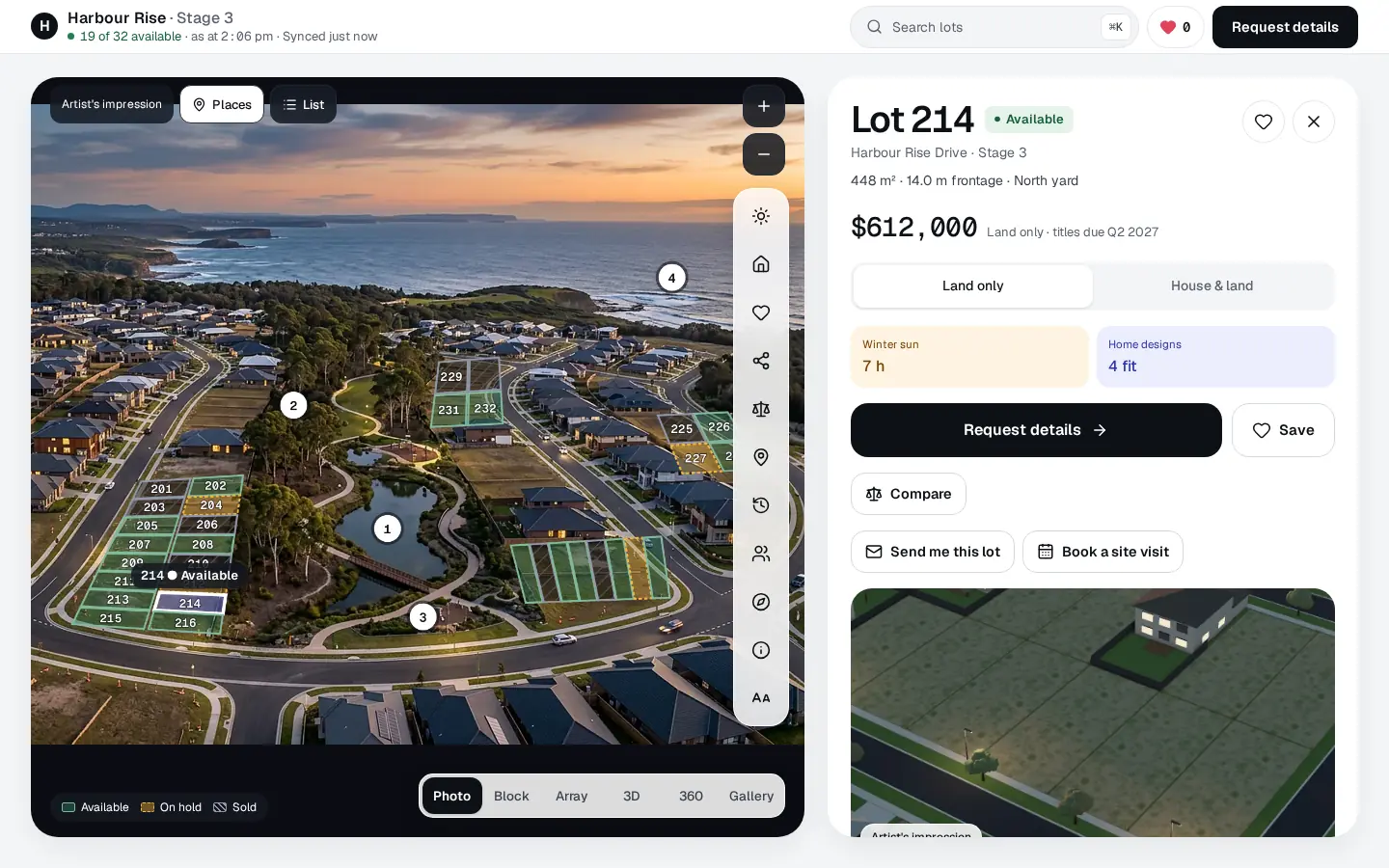
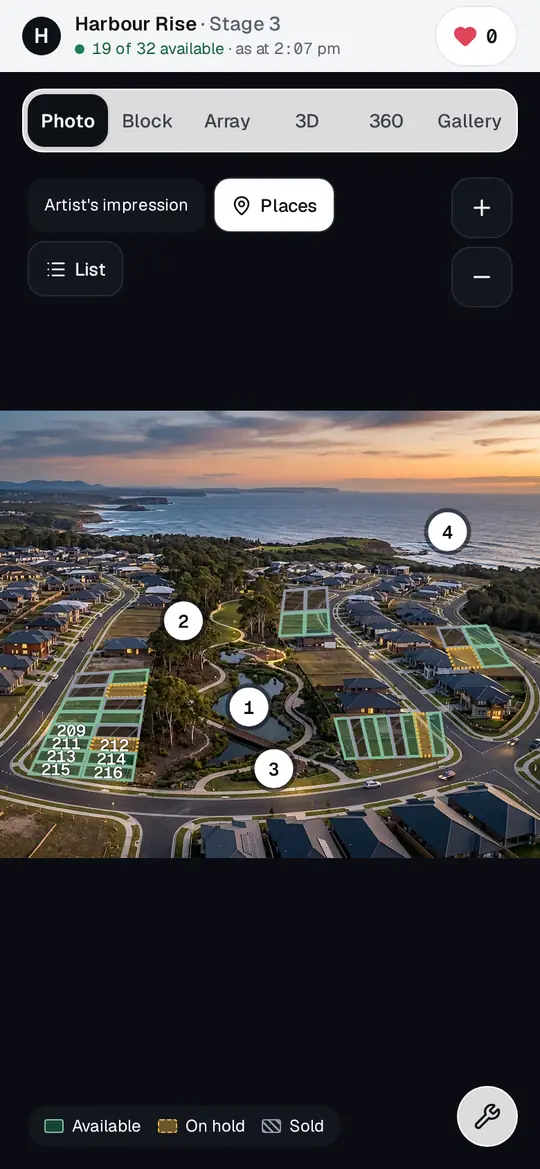
Your renders become the place buyers explore: pick a lot on the photo, walk room by room, look around, and see the real view from their own floor. Headsets when you want them.

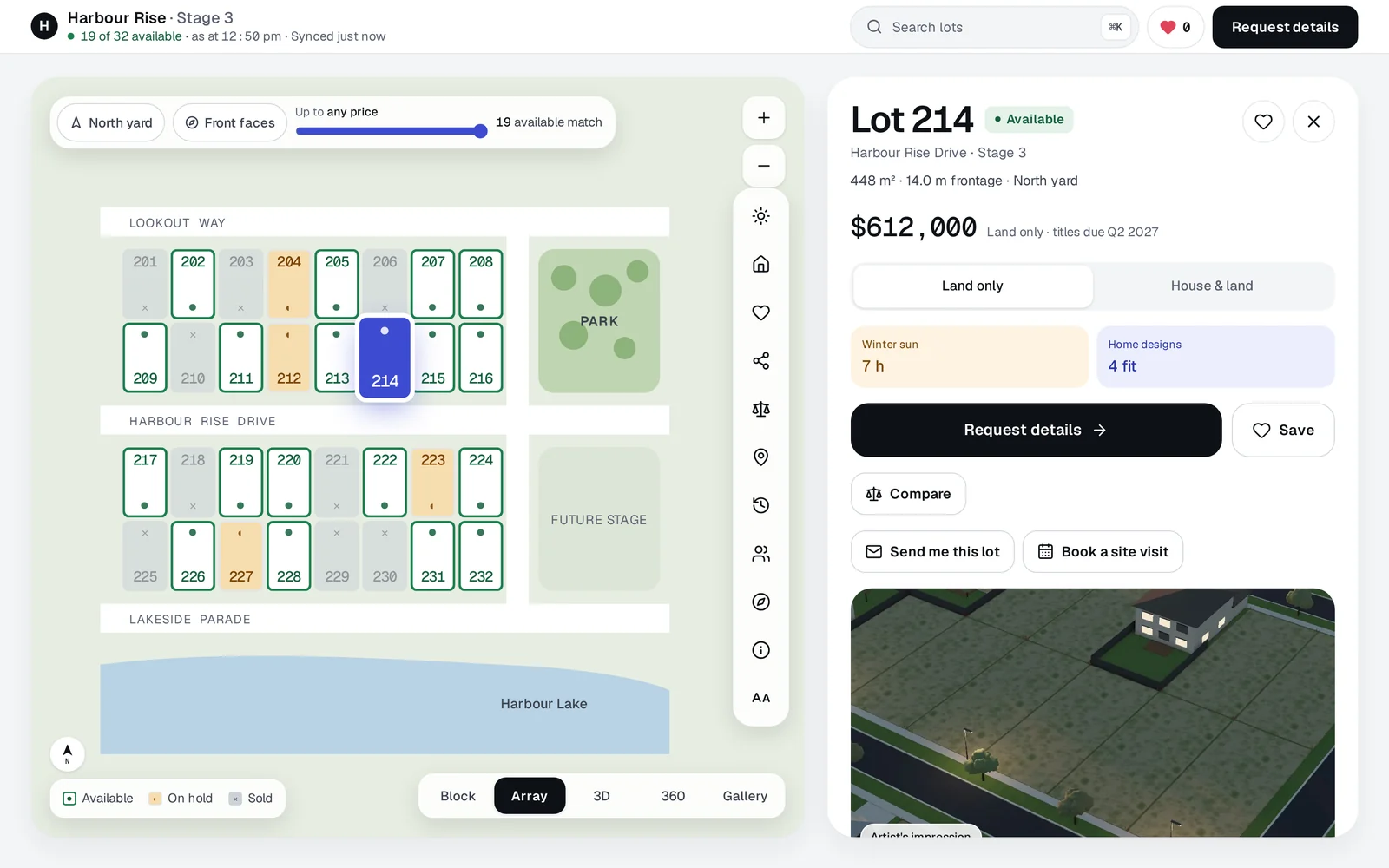
Lot 214Available
448 m² · 14 m frontageNorth yard
Winter sun in the yard7 h
$612,000
Kookaburra Close · station 9 min · school 5 min · hardware store 6 min, sausage sizzle on Saturdays
Hold itCompareShare
Artist’s impression
Harbour Rise, Stage 3. Your own render becomes the map: buyers pick a lot, your team sees who looked.
Demand on the building
Every look, compare and shortlist lands on the home it was about. See it as buyers, your team or investors, then choose an apartment.

Artist’s impression. Sample project.
Aster Residences · level 12 · NE · 2 bed
On hold
$1,147,000
Request details, compare or book a visit. Buyers never see who else is looking.
Aster Residences is a sample project. Every number on this stack is sample data, and the investor figures come from a sample rental appraisal. Buyers never see who else is looking; only your team does.
Built in, or connected
OneAxis comes with what a project needs, including its own CRM. If your team already runs a CRM, portals or ad accounts, OneAxis connects to them, and every answer still comes home to one record.

Built in
Buyer and renter records, enquiries, notes, tasks, the pipeline and holds. Every look before an enquiry joins the record.
Connects
On request
eSales (Century 21), MRI Box+Dice, Salesforce, HubSpot, Zoho CRM. We build it for your team and agree the timing first.
Built in Part of OneAxis. Nothing to connect.Connects Built and tested on sample projects. Switched on with your own account after a live test with you.On request We build it for your team and agree the timing first.
For agents and agencies. Keep your CRM, portals and property management. OneAxis is the project layer on top, with Pocket on every agent’s phone.
See how it fits your agencyLand estates · Sell
Artist’s impression · real OneAxis screen, sample data
And wherever buyers are: Display suites · Buyers overseas · Agencies and project marketers
Launch one project · Portfolio several projects · Partner agencies and advisers. Priced per project and per lot, and shared with you directly. How pricing works
Advisers and lenders: a read-only link to the weekly review and presale count, without buyer names, when the developer shares it.
Start with one project
01 · SendYour only job
The PDFs and spreadsheets you already have. No software to learn, nothing to fill in.
02 · Set upDone for you
Outlines, prices, pictures and rules, checked by our team. Nothing goes live until you confirm every lot. Then one link works everywhere: your website, ads, agents’ messages, portal listings and the QR code on the hoarding.
03 · ReceiveEvery morning
Who is serious, who has gone quiet and who to call first, with the reason. Buyers and renters explore on any device, with no app and no sign-up to look.
Start without learning a new tool. Send one price list, and you’ll know who’s serious.
Rather email? hello@oneaxis.live

